Chapter 2
Jump straight to a view
The switcher lists every view, both lists, Journal and Vynrpedia.
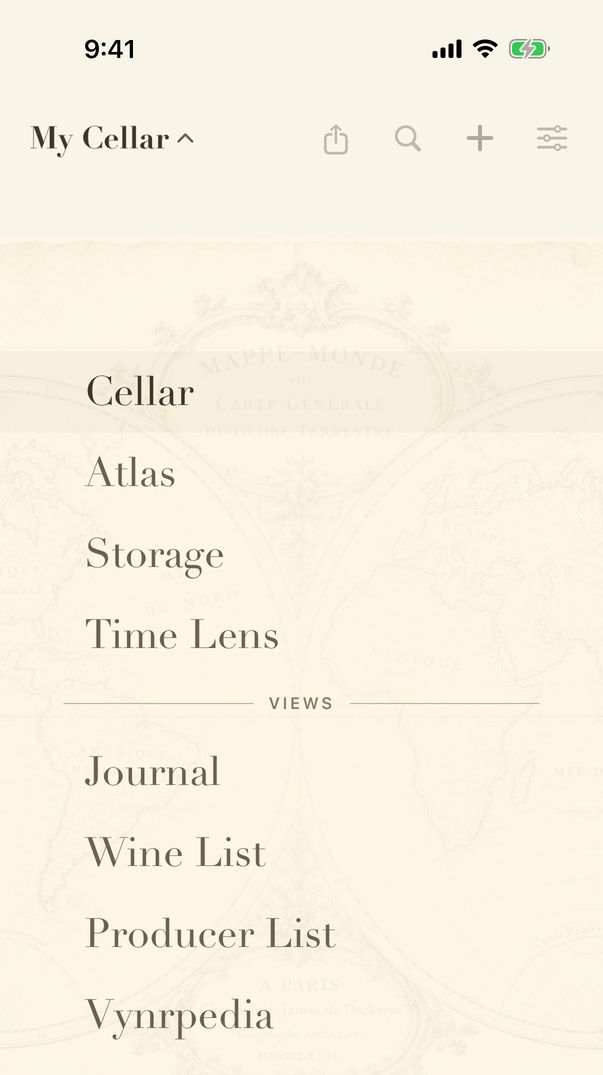
- Drag up or down with one finger, slow down and hold: the switcher opens under your finger.
- Keep your finger down, slide onto a view and lift to go there. Lift anywhere else to stay where you are.
- Or tap the name of the view you are in to open the switcher; it stays open, and every row can be tapped.
The switcher lists the four maps — Cellar, Atlas, Storage and Time Lens — then Journal, Wine List, Producer List and Vynrpedia. Vynrpedia, the A to Z of wine terms, practices and places, is reached only from here.
Storage is always in the switcher, even before you have a storage location: it is where you add your first.
Guide for vynr 1.2